
Graphs
Variables and scopes
A variable is a value with a name that a graph keeps: a count of mornings, the last carter seen, whether a traveller has paid. Each has a kind (whole number, number, yes or no, text, position, colour, a thing, a list, a map) and a scope: where it lives and how long.
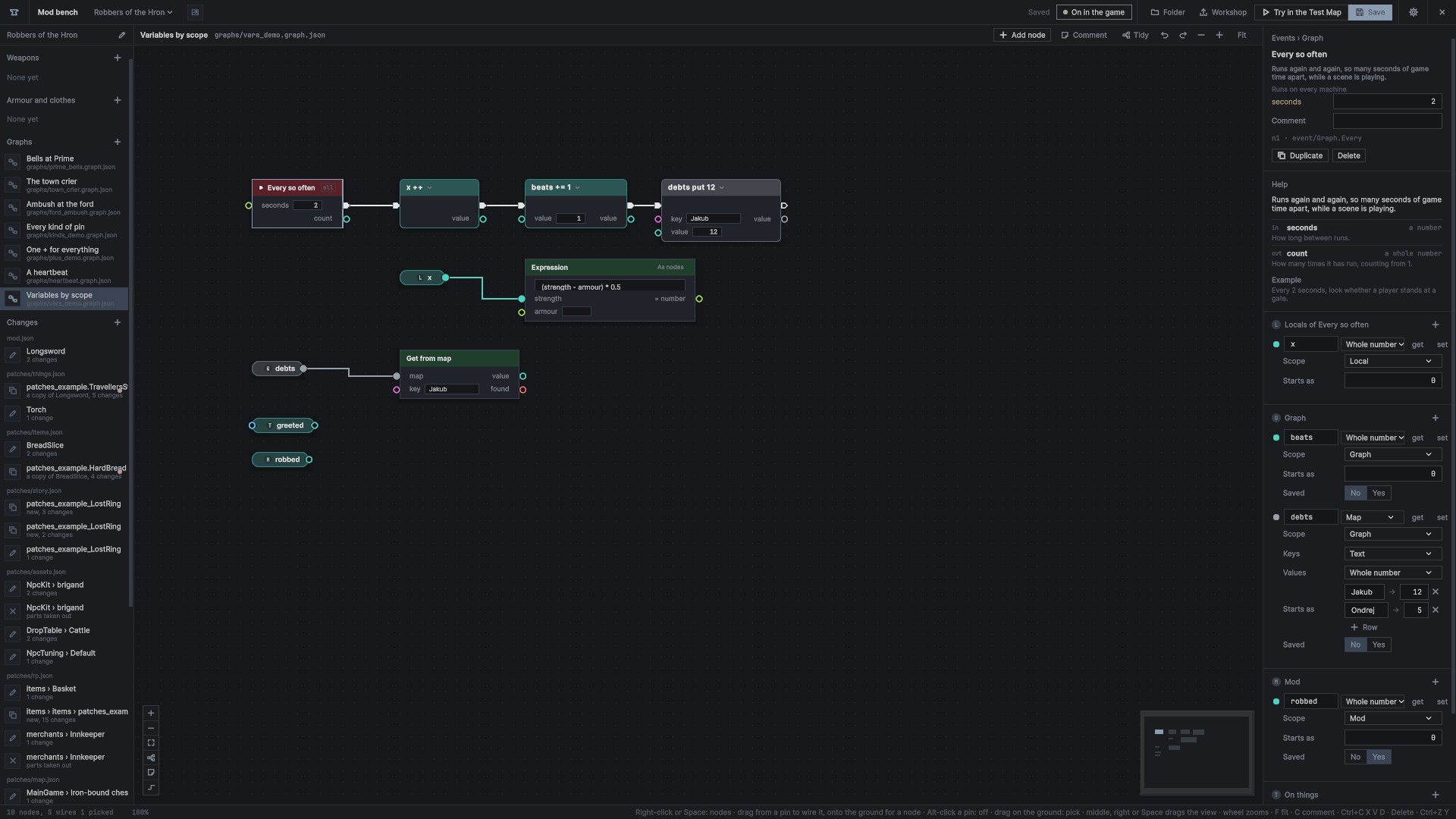
Scopes
| scope | lives | like |
|---|---|---|
| Local | on one event's chain. Every run starts its own fresh copy, which lasts through Waits and is gone when the run ends | int x = 0; inside a function |
| Graph | in the graph, kept between runs. It can be Saved | a field |
| Mod | one value shared by all the mod's graphs. It can be Saved | a static |
| On things | a value kept on each person or thing separately: "was robbed", "times greeted". Its get and set take a whose pin | a field on every object |
- Local: each event and each function lists its own locals in the side panel when it is picked. A local can be used only inside its event's runs; a get or set of it wired anywhere else is refused, with why. Two runs side by side never share one.
- Graph: as a graph had before scopes. A file without
"scope"reads as Graph. A local'sowneris its event node's id. - Mod: every graph that uses it declares it, with the same name and kind; the side panel lists those other graphs declare, faded with "use here". Two kinds for one name is a problem as the mod loads.
- On things: saved with the person or thing when it has a lasting key (a save key, a person of the world file, a player's account); otherwise kept while it exists. Online it lives where the game is decided, and only there is it set.
- Inside a function, every variable is the call's own, fresh on every call.
In the file:
"vars": [
  { "name": "beats", "kind": "Int", "value": 0 },
  { "name": "robbed", "kind": "Int", "value": 0, "scope": "mod", "saved": true },
  { "name": "paid", "kind": "Bool", "scope": "thing" },
  { "name": "x", "kind": "Int", "scope": "local", "owner": "n1" }
]
On the canvas
- Drag a variable from the panel onto the canvas for its get: a small pill in its kind's colour. Alt-drag makes a set; Ctrl-drag makes
++at once. - Pills carry their scope's mark before the name: L, G, M or T. A thing's pill takes
whoseon its left edge. - Double-click a pill to rename the variable; every use follows, in the graph, and for Mod and On things variables in every graph of the mod. Right-click it to retype it, find its uses, or delete it.
Set, like code
A variable's set node is one node with its operator in the head, read as code: count += 1, x ++, word = "Halt". The head is a drop-down of the operators its kind allows:
| operator | kinds | does |
|---|---|---|
= | all | sets it |
+=, -=, *=, /= | numbers | changes it by the value. A whole number stays whole; /= rounds down |
+= | text | joins the value on |
++, -- | whole numbers, numbers | one more, one less |
| toggle | yes or no | flips it |
| append, remove | lists | adds an item, takes one out |
| put, remove | maps | sets a key's value, takes a key out |
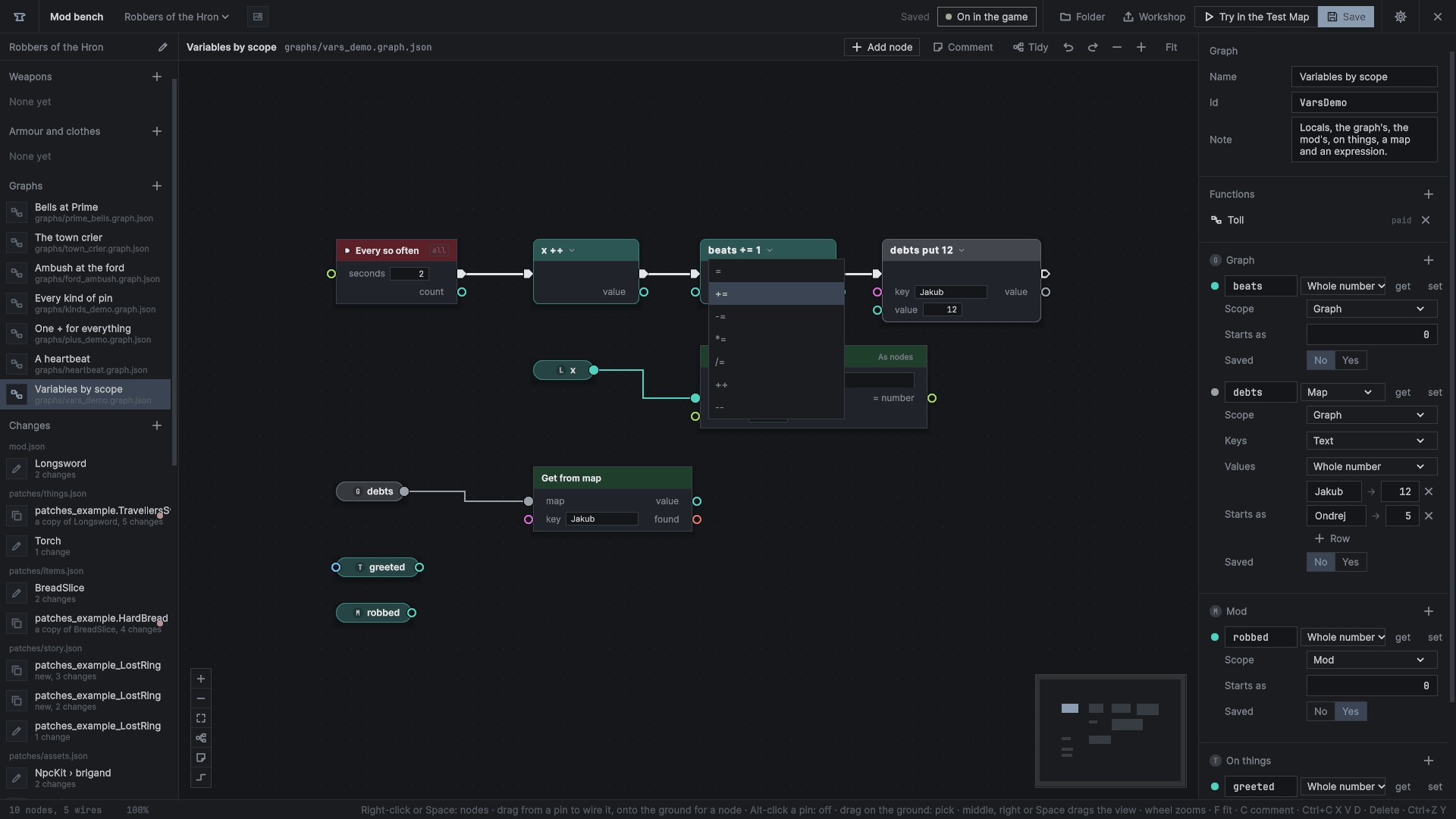
In a file, = is var/set/<name> and the others var/op/<op>/<name>.
The panel
Each variable's row has its name, its kind, get and set buttons and ×. Under it: its scope, what it starts as, Saved (Saved values), and for a thing or a list the type it holds. A map has its key and value kinds and its starting pairs as rows.
- Renaming or retyping follows every use. A change that breaks wires takes them off and says which.
- Right-click a pin, Promote to variable: a new variable of its kind, its get wired in, and what was typed its starting value.
- In the debugger, hovering a pill shows what it holds now.