
Graphs
The node book
The node book is what the bench's node list offers first: a few hundred nodes, each picked, named, described and placed by hand, with a tip on every pin, search words, and an example where one helps. Every node in it has a page here, under Node book.
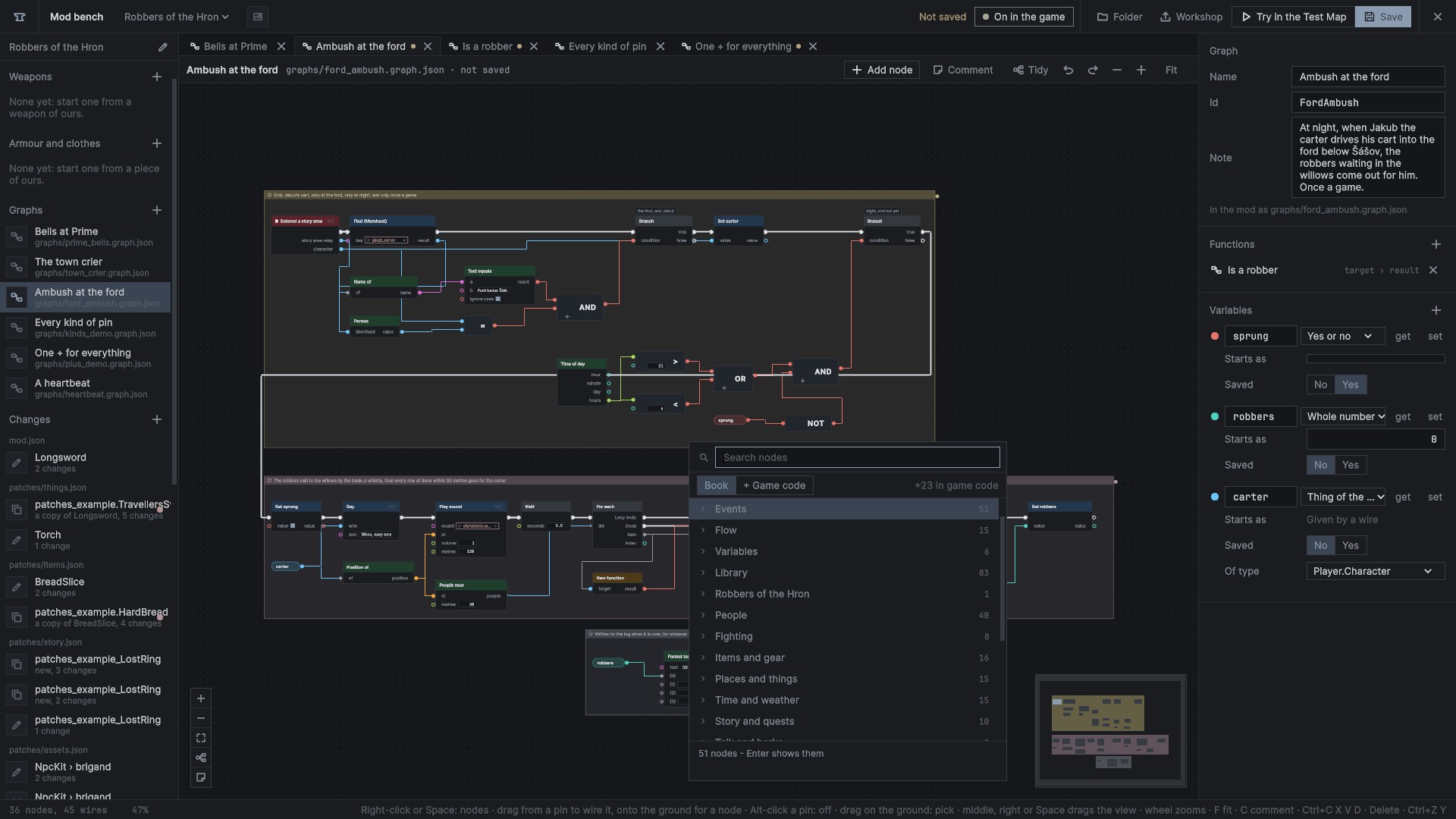
Opening the node list
- Right-click the ground, press Space, or double-click the ground: the list opens where the pointer is.
- Add node in the graph page's bar opens it too.
- Drag a wire from a pin and let go on the ground: the list opens showing only nodes with a pin that fits, and the one picked is wired in.
Type to search. The title counts first, then the starts of words, the search words, the category and the id, and every word typed has to be found. The book's nodes come before game code. Arrows and Enter pick from the keyboard.
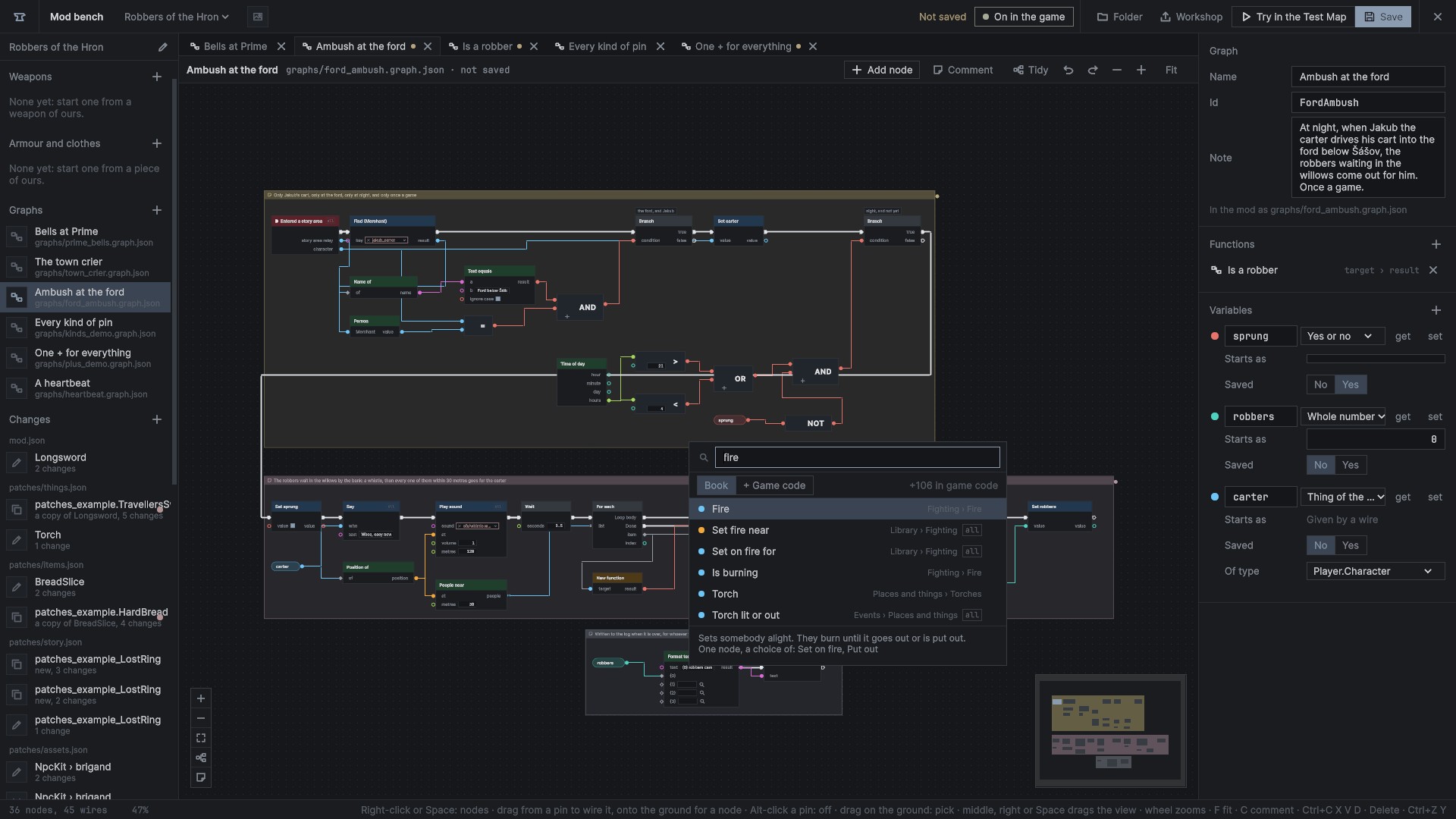
The categories
The book's categories always come in this order:
- Events
- Flow
- People
- Fighting
- Items and gear
- Places and things
- Time and weather
- Story and quests
- Talk and barks
- Sounds and music
- Screen and camera
- Animals and horses
- Law and trade
- Maths
- Text
- Lists
- Variables
- Library: the game's premade functions
- This mod: the mod's own functions
- Required mods: the functions of the mods it needs
- Events
53 pagesWhere a graph starts: something happened in the game. Every run begins at one of these. - Flow
17 pagesWhich way a run goes: choices, loops, waiting. - People
40 pagesFinding people, reading how they are, telling them what to do. - Fighting
8 pagesFire, blows and guards. - Items and gear
16 pagesWhat people carry, hold and wear. - Places and things
18 pagesThings in the world: making them, where they are, locks, breakables, torches, owned ground. - Time and weather
15 pagesThe clock and the sky. - Story and quests
10 pagesQuests, story flags and people's days. - Talk and barks
2 pagesThings people say. - Sounds and music
5 pagesSounds in the world and the music. - Screen and camera
5 pagesNotes on the screen, messages between machines, the camera. - Animals and horses
10 pagesHorses and riding. - Law and trade
9 pagesThe law's book and the merchants. - Maths
23 pagesNumbers, chance, positions and logic. Adding, comparing and rounding are single nodes with a choice of operation. - Text
14 pagesWords: joining, formatting, looking inside them. - Lists
20 pagesLists of values: people, items, numbers. - World
1 pages
Favourites (the star on a row) and Recent (the last eight placed) lead the list while browsing. Both are kept between plays.
Help on every node
- Hovering a node, or a pin, shows its description: a pin says its name, what it carries and its tip.
- With one node picked, the side panel's Help shows its description, every pin with its kind and tip, the choices of its family, and its example. More opens its page in these docs.
- F1 on the graph page opens the picked node's page.
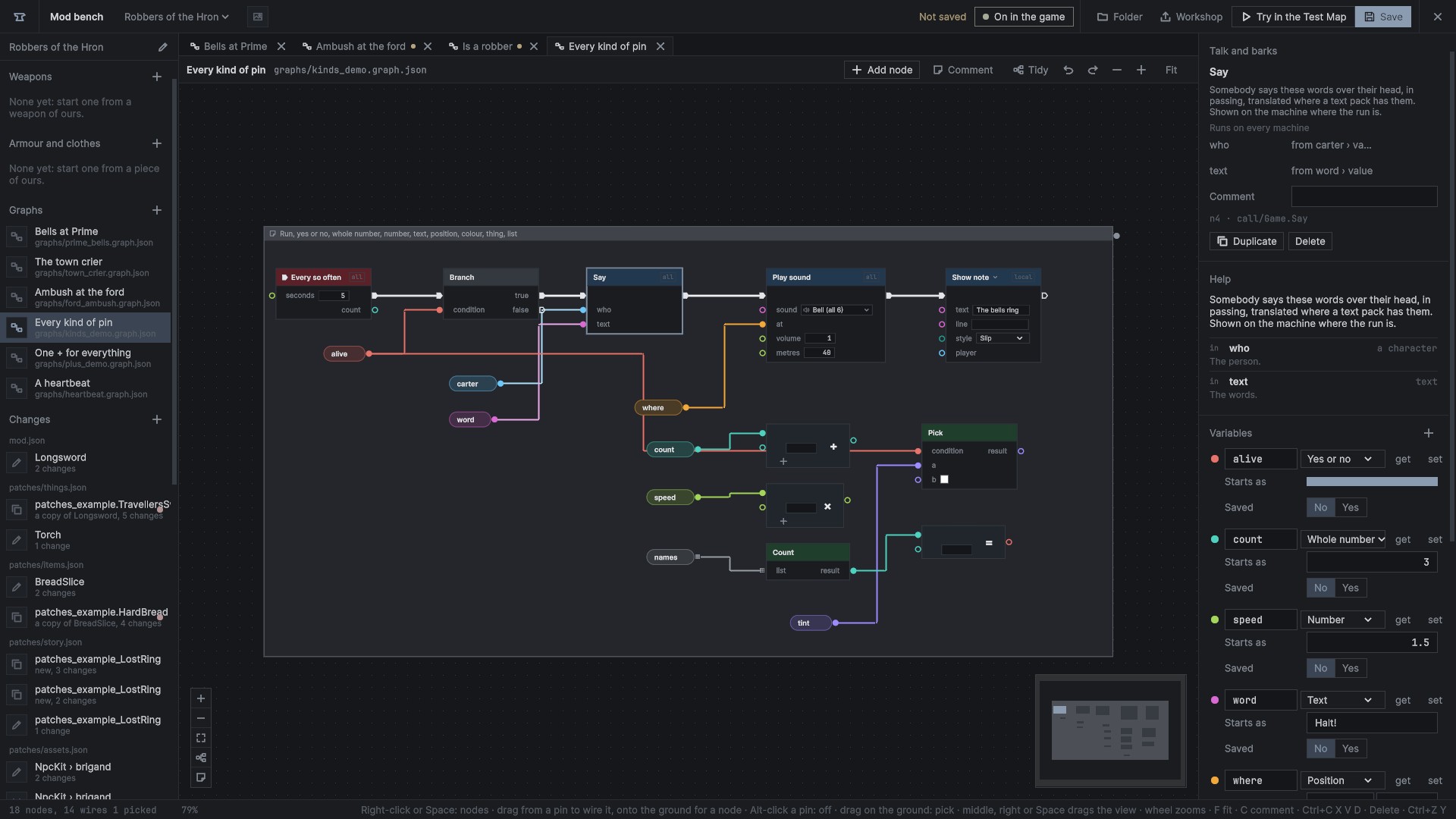
One node, several ways
Nodes that differ by one choice are one entry in the list, with a drop-down on the node: + and − are one node, and so are = and ≠, Set on fire and Put out. Families and wildcard pins tells how they work.
Game code
Behind the list's + Game code switch (Tab) is everything else the game's code offers: about four thousand nodes made by the node generator, grouped by the game's types. They are true to the game, but their words are the code's own; many say only that the code has no description. Members several types share through a base are one node on the base.
Game code nodes have no pages here; the ModKit's Nodes.md lists them a line each. The bench's settings can hide game code altogether.
A node's page
Each page in the node book tells:
- what the node does
- the node drawn as the bench draws it
- what it is (an event, an action, a value, flow) and where it runs online
- where it is in the list, and its id in a file
- every pin, in and out, with its kind and tip, and what it starts as
- an example, where the book has one
Nodes of one family share a page, with a section for each choice.